

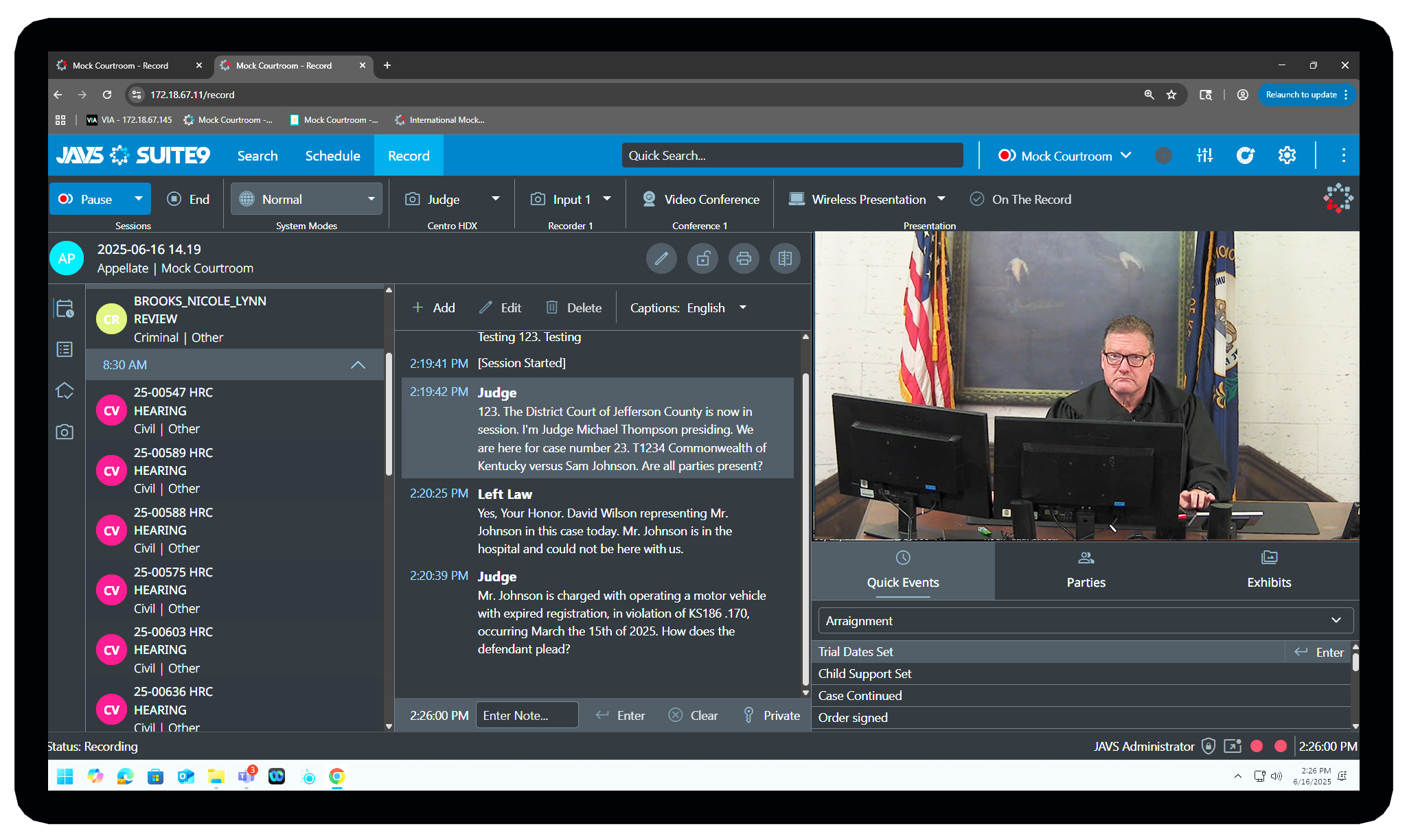
AutoLog 7 Logging & System Control Module
AutoLog 7, our flagship software, is the main interface with The JAVS System and is designed to work exclusively withRecorder 7. This module includes recording controls to allow the user to start, stop, and monitor the recorder. System controls allow you to continuously monitor the Centro audio video processor while controlling all system modes. The log controls allow the user to create an interactive log of events for each record session that are used both during instant review of live recordings and playback of saved recordings. Users can be assembled into departments, or packs, to further segment record sessions, keeping sensitive materials out of the hands of unauthorized users. From any PC in the courthouse, users can search, create, edit, and publish recorded sessions to the desktop, CD/DVD, USB thumb drive, or network folder location. Enterprise mode allows authenticated users to share data, centralize scheduling, and access content across the organization. Since AutoLog 7 is a network-based application, you do not need to be in the room. Log events, start and stop recording from any remote location. With central monitoring, one user can manage multiple rooms simultaneously.

Scheduler 7 Session Scheduling Module
Scheduler 7 is a session scheduling software application designed to work exclusively with the Recorder 7 and Signage 7. Our scheduling module includes tools to let you create, edit, move, and delete schedules for any date on the calendar. When combined with our signage solution, schedules and session information are automatically displayed to meeting areas outside your courtroom or boardroom. This module allows the user to choose automatic start and/or stop of record sessions at specific times. Start times can be scheduled to commence 5, 10, or 30 minutes early. Sealed sessions can be created and assigned to any department for added security. Sealed sessions do not display, nor can not be located or searched by unauthorized users. Schedules can be viewed or entered either by time or by order. Calendar views give users the ability to view schedules by work week, week, or month.
Once you have scheduled and recorded your sessions, Publisher 7 allows you to publish your content to CD/DVD, USB thumb drive, or network location. Audio video recordings can be accompanied with an interactive table of contents to make reviewing your recordings a breeze. Since your recordings are produced using the WMV format, an industry standard, they are viewable from any PC. The search tools in Publisher 7 allow a user to search any relevant field in the database to locate a recorded session. Return results can be filtered by date, department, location, title, and parties, to allow the user to drill down to the exact session or sessions needed for distribution. Users can use the publishing module to prepare any combination of sessions to be published though the publishing queue. Users can also view sessions before publishing to confirm they have selected the correct recordings. Once loaded, the user can play, fast forward, or rewind using the VCR-style controls.